
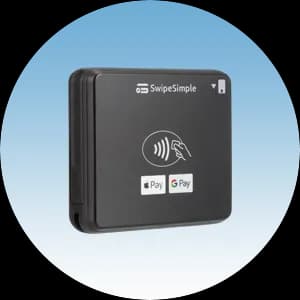
The SwipeSimple B250 is a compact Bluetooth card reader that turns the phone or tablet you already own into a full payment terminal. It accepts EMV chip, contactless taps, and swipes, so you can take card payments at the counter, at a market, or on the go. This quick start guide breaks setup into seven simple steps — follow them in order and you will be accepting payments the same day your reader arrives. If you get stuck at any point, our Caribbean Payments team is based right here in Puerto Rico and happy to help.
1.Charge the B250 reader
- Unpack the SwipeSimple B250 and connect it to power with the included USB-C cable. Let it charge fully before your first setup — the small LED shows charging status, turning solid when the battery is topped off.
- A full charge gets you through a busy day of sales. Keep the cable handy so you can top the reader up between shifts, and power it on with the side button once it has some charge.
2.Install the SwipeSimple app
- On the phone or tablet you plan to take payments with, open the App Store or Google Play and search for SwipeSimple. Download and install the free app — the B250 works with recent iOS and Android devices.
- Open the app once it finishes installing and allow the permissions it requests, including Bluetooth and location. These are required so your device can discover and connect to the B250 reader.
3.Pair the B250 over Bluetooth
- Turn on Bluetooth on your phone or tablet, then power on the B250 by holding its button until the light blinks, which means it is discoverable. In the SwipeSimple app, open the card reader settings and choose to connect a new reader.
- Select the B250 from the list of nearby devices and confirm the pairing. When the reader shows a steady connected light and the app displays it as ready, your B250 is paired and set to accept payments.
4.Sign in to your account
- Enter the SwipeSimple username and password from your Caribbean Payments welcome details. Signing in links the app and reader to your merchant account so every sale settles to your business correctly.
- The app loads your items, tax settings, and receipt details on first login. Let it finish syncing, and you are ready to run a live sale from the home screen.
5.Take your first payment
- Enter an amount or add items to the cart, then tap to charge. Have the customer tap a contactless card or phone, insert a chip card, or swipe a magnetic-stripe card — the B250 accepts EMV chip, contactless, and swipe out of the box.
- Wait for the approval on screen, and the sale is done. Funds settle to your account on your normal deposit schedule, and every transaction is protected by EMV chip security and encryption.
6.Email or text a receipt
- After a sale is approved, the app offers to send a digital receipt. Ask the customer for an email address or mobile number, enter it, and send — the receipt goes out instantly, no paper roll required.
- Customers can keep the emailed or texted receipt for their records, and you keep a clean digital history of every sale inside the SwipeSimple dashboard.
7.Troubleshooting pairing
- If the B250 will not appear in the app, confirm Bluetooth is on, the reader is charged and blinking, and no other device is already connected to it. Turning the reader off and on again usually makes it discoverable.
- If the connection keeps dropping, move the reader closer to your phone or tablet, close and reopen the app, and re-pair from the reader settings. Still stuck? Our local Puerto Rico support team can walk you through pairing by phone.
Want the full rundown on this mobile reader? See the SwipeSimple B250 page, or browse all our card terminals to find the right fit for your business.