
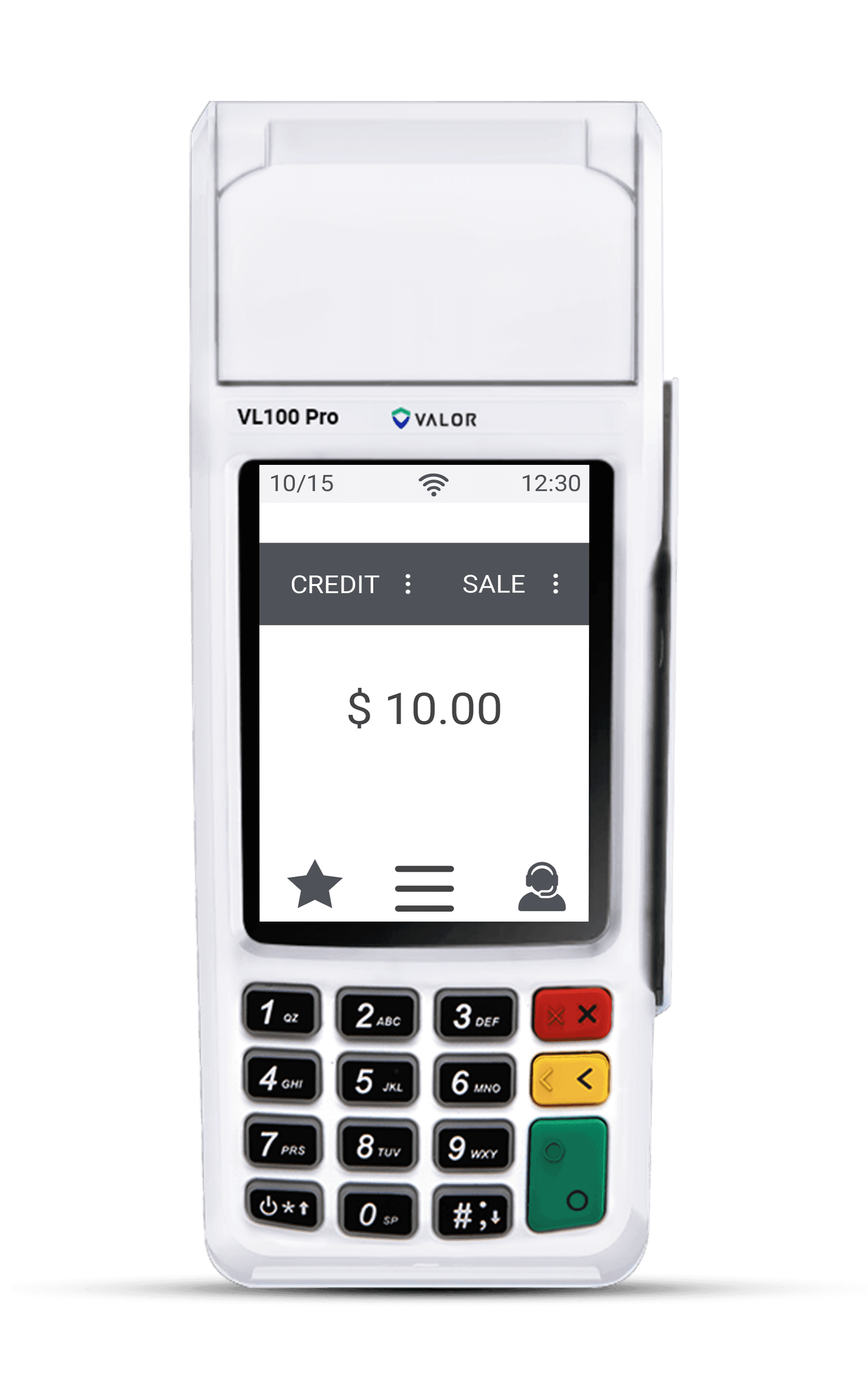
The Valor VL100 is a compact countertop Android terminal built for fast, everyday payments. With a 3.5-inch touchscreen and keypad, EMV chip, contactless tap, and magnetic swipe acceptance, a built-in thermal printer, and both Wi-Fi and Ethernet connectivity, it is an easy terminal to get running. This reference guide breaks the process into eight simple steps. Follow them in order and you will be accepting payments the same day your device arrives. If you get stuck, our card terminals team is based right here in Puerto Rico and happy to help.
1.Unbox and connect power
- Open the box and confirm you have the Valor VL100 countertop terminal, the power adapter, a receipt paper roll, and any included Ethernet cable. Place the terminal on a flat, dry surface near a power outlet and, if you plan to use a wired connection, near your router or switch.
- Plug the power adapter into the terminal and into the wall. The VL100 has no internal battery — it is a countertop unit designed to stay plugged in — so it powers on automatically. Wait for the 3.5-inch touchscreen to light up and finish its boot sequence before you continue.
2.Connect Wi-Fi or Ethernet
- For a wired setup, plug an Ethernet cable from your router or switch into the LAN port on the back of the VL100. The terminal detects the connection automatically and no further network setup is usually needed.
- For Wi-Fi, tap the menu or gear icon on the home screen, choose the network settings, select your business network from the list, and enter the password using the touchscreen or keypad. Wait for the signal indicator to confirm you are online before moving on.
3.Activate and download your profile
- With the VL100 online, it will prompt to load your merchant profile. This step pulls down the account settings, tax rates, and applications tied to your Caribbean Payments merchant account, so enter the activation or download code we provided during setup.
- Let the terminal finish the download and reboot if it asks. This one-time step links every transaction to your business and ensures your receipts, tips, and settlement details are configured correctly from the first sale.
4.Load receipt paper
- The VL100 uses a built-in thermal printer, so no ink is needed. Open the printer cover by lifting the latch on the top of the terminal, and remove any packing tape from a new roll.
- Drop the paper roll into the well so the paper feeds out from underneath, pull a short tail past the tear bar, and press the cover firmly until it clicks shut. Thermal paper only prints on one side — if a test receipt comes out blank, flip the roll over.
5.Run a test sale — chip, tap, or swipe
- Before going live, confirm every read method works. From the home screen tap Sale, key in a small amount such as $1.00, and confirm. Then insert an EMV chip card into the slot at the front, tap a contactless card or phone over the screen, or swipe a card through the magnetic reader.
- Approve the sale, then void or refund it right away from the transactions or reports menu. A clean approval and reversal across chip, tap, and swipe proves your reader, network, and merchant account are all communicating correctly.
6.Print or reprint a receipt
- After a sale, the VL100 offers to print a merchant and customer copy, or to send a digital receipt. Choose the option your customer prefers — the built-in printer produces the paper copy in seconds.
- Need a duplicate later? Open the transactions or reports menu, find the sale, and choose reprint. This is handy for reconciling the day or handing a customer a second copy without re-running the card.
7.Settle or batch out
- At the end of each business day, settle your batch so the day's approved transactions are submitted for funding. From the home screen or main menu, open Settlement or Batch, and confirm the totals shown match your records.
- The VL100 can also be set to auto-settle at a fixed time each night. If you prefer that, ask our team to enable it so your funds move on your normal deposit schedule without a manual step.
8.Tips and troubleshooting
- If the terminal drops offline, re-check the Ethernet cable or reconnect Wi-Fi from the network settings, then retry. If a card is declined, ask the customer to try again or use another card — most declines come from the issuing bank, not the terminal.
- Keep the printer cover fully closed, install updates when prompted, and restart the VL100 weekly to keep it running smoothly. If anything looks wrong, our local Puerto Rico support team can walk you through it by phone — you are never on your own.
Want the full rundown on what this terminal can do? See the Valor VL100 page, or browse all our card terminals to find the right fit for your business.